Somebody on your team maintains the real one.
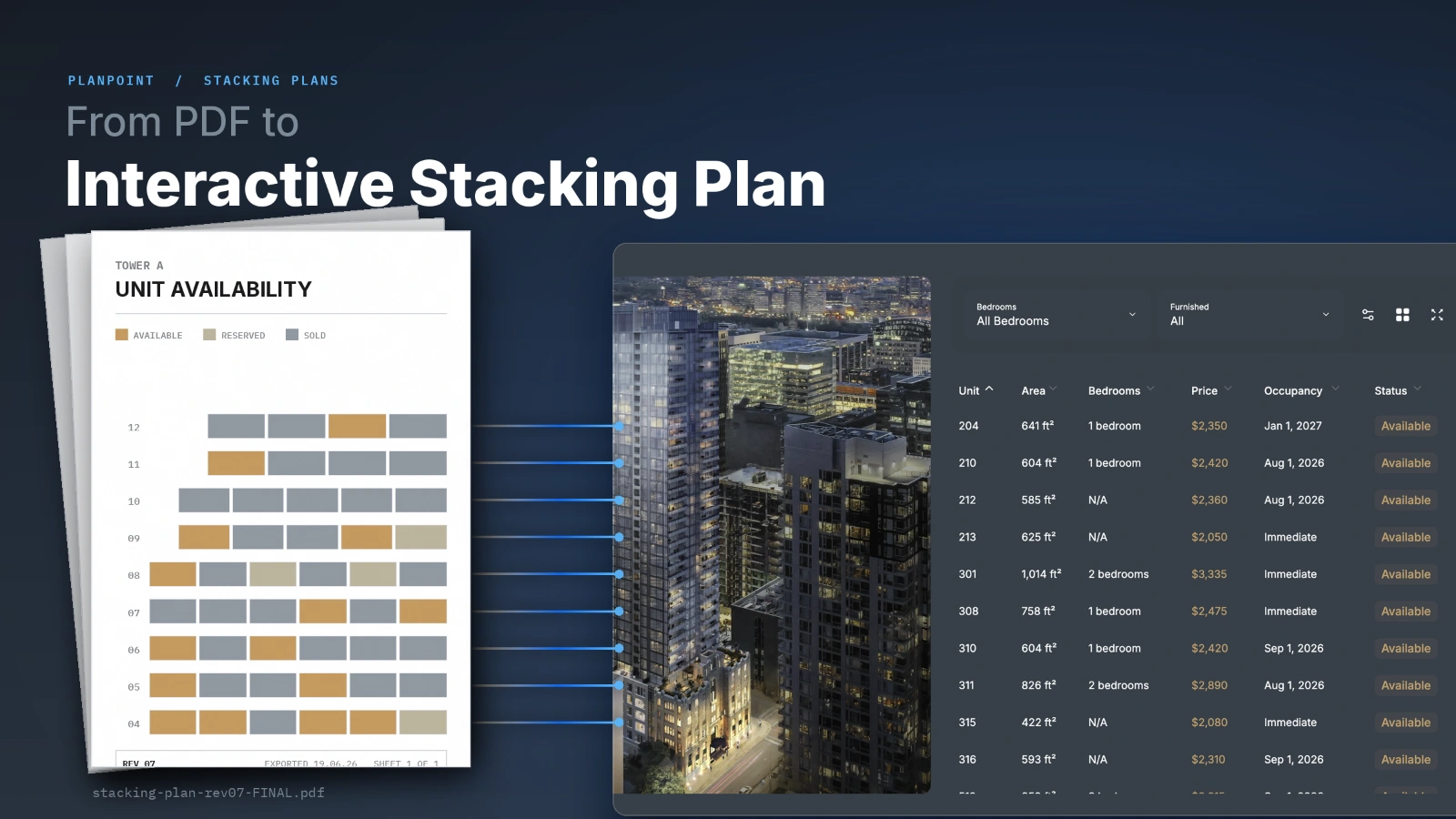
It starts as a spreadsheet with conditional formatting, or a plan marked up in Illustrator. Then every Friday it gets exported to PDF and emailed to the sales team, the brokers, the investor, and whoever asked for it that week. That PDF is the most useful document anyone has ever made about your building, because it answers the only question a serious prospect has: what is left, and where is it?
Two things are true about it. Almost nobody outside your office has ever seen it. And the people who do have it are looking at a version that is six weeks old and still shows 1204 as available.
That is the case for an interactive stacking plan. Not as an internal dashboard, but as the page your buyers land on.
A stacking plan draws the building as it stands: each floor is a row, each unit is a block inside that row, and colour tells you the status of that block. Available, sold, reserved, leased, held back.
The format comes out of commercial leasing, where asset managers use it to read square footage, tenant mix and lease expiries at a glance. Office towers still use it that way. Residential borrowed the drawing and changed what the colours mean. In a condo launch, blocks track sold, in contract, released and unreleased. In a rental building, they track occupied, notice given, available on a date.
Same diagram. Completely different job depending on who is looking at it.
Nothing is wrong with PDF as a format. It is wrong as the place your inventory lives, and here is what actually goes sideways.

It starts aging the second you export it. A PDF is a snapshot. The unit that went under contract on Tuesday is still green in every copy that left your outbox on Monday, and you cannot recall those copies. Your inventory is a live thing being represented by a dead file.
There is no data underneath it. It looks like a database and behaves like a picture. Nobody can filter it to two bedrooms facing south under $700k. They have to read all 180 blocks and do it in their head, which most people will not do.
Every block is a dead end. A prospect finds a unit they like and then has nowhere to go. No plan, no view, no price sheet, no way to book a visit. The next step is an email to your sales team, which means a day of delay while they keep shopping.
On a phone it is pinch and zoom. Most of your traffic is mobile. A dense vector drawing sized for tabloid paper is close to unreadable on a 6 inch screen, and people do not fight with it, they leave.
You learn nothing. No one can tell you which units got the most attention, how many people made it to the inventory at all, or where they gave up. Twenty years of marketing measurement, and the most decision-heavy asset in your funnel reports nothing back.
It fragments. Three versions end up in circulation, your rep quotes one and the buyer is reading another, and now somebody has to walk back a price in front of a client.
There is a search cost too. PDFs get indexed, and a stacking plan PDF can end up ranking for your own project name. Someone clicks it from Google and lands inside a document with no navigation, no contact form, no way back to your site, and no reason to trust that what they are reading is current.
Same diagram, connected to live inventory instead of exported from it.
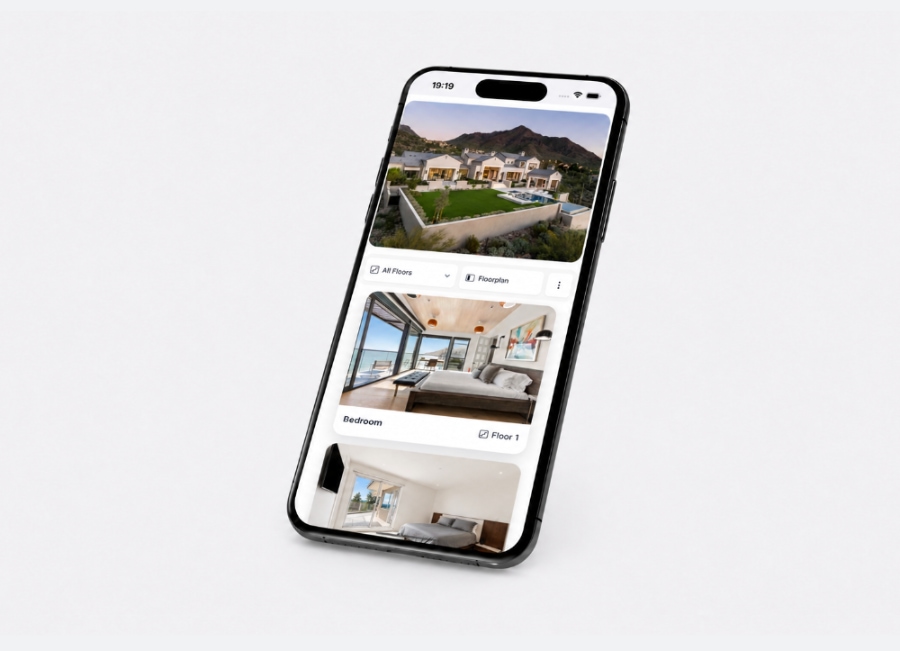
Click a block and the unit opens: plan, interior area, exposure, price, availability date, and the view from that floor if you have it. Filter the building and everything that does not qualify greys out. Change a status in your system and the colour on the page changes. There is no export step, so there is no version to go stale.
Two very different products get called stacking plan software and they are worth separating. Platforms like VTS and Yardi build stacking plans into asset management for internal teams tracking lease rollover and portfolio occupancy. Real problem, different problem. What we are talking about is the version a prospect uses on your project website, without a login and without asking anyone.
Your site probably has a floor plans page. It answers "what does a two bedroom look like here." Useful, and it is not the question anyone is asking by their third visit.
By then they want to know which specific units are still available, what floor they sit on, what they face, and what they cost. That is a stacking plan question, and most project sites answer it with a contact form or a PDF download.
A stacking plan is the closest thing a building has to a menu. Restaurants worked out a long time ago that making people ask for the menu costs you covers.
The internal version and the public version are not the same document. Publishing your asset management view is a mistake in the other direction.
Worth showing:
Leave off:
The pricing question is the one people argue about. Publishing prices narrows your inbound, and that is usually the point: fewer inquiries, better ones, because whoever writes in has already accepted the number. If your strategy genuinely depends on price discovery, show a range or a starting-from figure per line. A grid of "call for price" teaches visitors the tool is decoration.
The project website first. On the page, embedded, above the point where people stop scrolling. Not filed under a Documents heading as a download, which is the same PDF problem wearing a different hat.
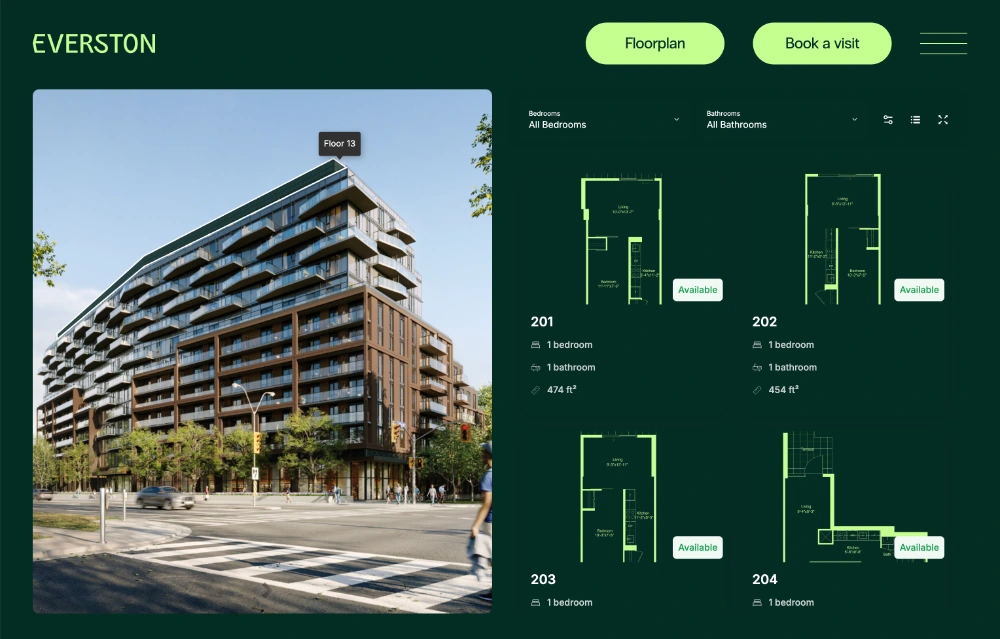
Then the sales gallery. The same interactive stacking plan on a touchscreen or a large display gives your reps something to work from during a walkthrough, and it is current because it reads the same data as the website. No more printing a fresh copy before every appointment.
Then in your agents' hands. A rep who can send a link to unit 1204 instead of a screenshot with an arrow drawn on it gets a faster reply and misquotes nothing.
With Planpoint that is one embed on your site, the touchscreen app in the gallery, and a shareable link per unit, all reading the same inventory. Availability and pricing update in real time, and integrations with Salesforce, SparkRE and BuildingStack mean the plan reflects whatever your team just changed in the system they already use.
Everything above is design. This part is operational, and it is where most digital stacking plans quietly fail.
If someone has to remember to log into a second system and mark a unit sold, they will forget. The first person to notice will be a prospect who drove across town for something that went under contract on Tuesday. That is worse than having no stacking plan at all, because you have now taught that person not to believe your website.
Before you launch one, answer this: when a unit changes status, what is the exact path from that change to the block on the page changing colour? If the answer contains the word export, that is your bug and it is the same bug the PDF had.
You are measuring something you could not measure before, which is most of the gain. Skip time on page and look at:
Exporting the PDF and putting it in an iframe. If it cannot be clicked, it is a picture with extra steps.
Using one colour for everything available. People scan for pattern. If a studio and a penthouse are the same shade of green, nobody can read the building.
Gating it. The reflex is understandable and it is backwards. The stacking plan is what earns you the form later, once someone has found a unit they want.
Making it about the building instead of the unit. Nobody buys a stacking plan. They buy 1204. Every block should be one click from the thing that sells it.
You do not need a new inventory system for this. You need the data you already keep, published somewhere a prospect can reach without asking permission, and a process that keeps it honest.
Take one project. Put the interactive stacking plan on the page, link every block to the plan and the view, and watch what happens to the questions your sales team gets asked. The change tends to show up in the inbox before it shows up in the analytics.
If your inventory currently lives in a PDF that eight people have seen, you are sitting on your best sales asset and emailing it around once a week. Publish it instead.

Learn more
The Real Estate Floor Plan Platform with the most innovative features: Enterprise Portfolio, Immersive 3D, advanced analytics, online payments, custom CSS, choice of finishes and much, much more...