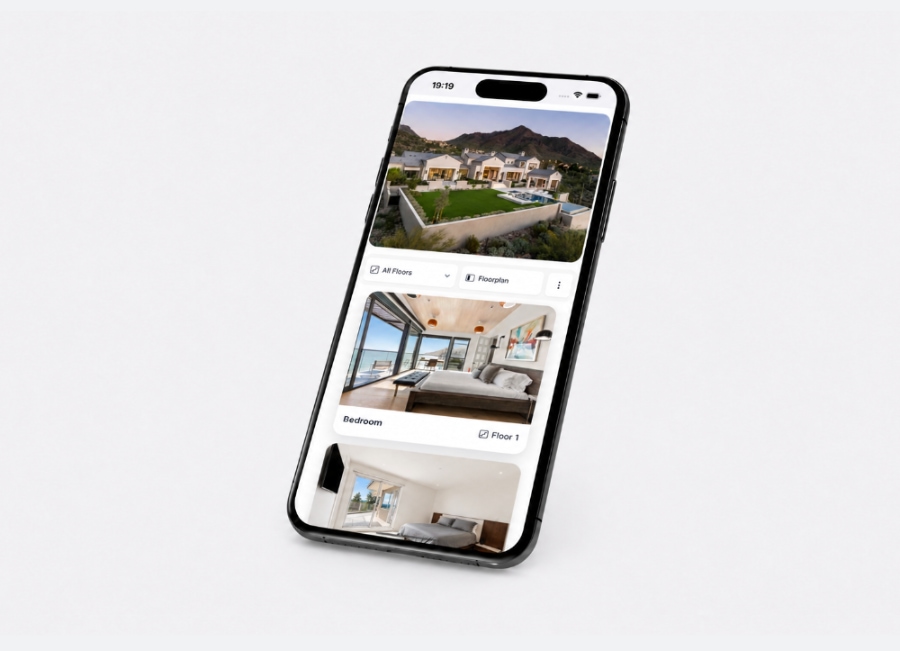
A typical real estate project website has plenty of useful content: project information, renderings, amenities, neighbourhood details and an interactive floor plan. But when it comes to individual units, there is often very little for search engines to index.
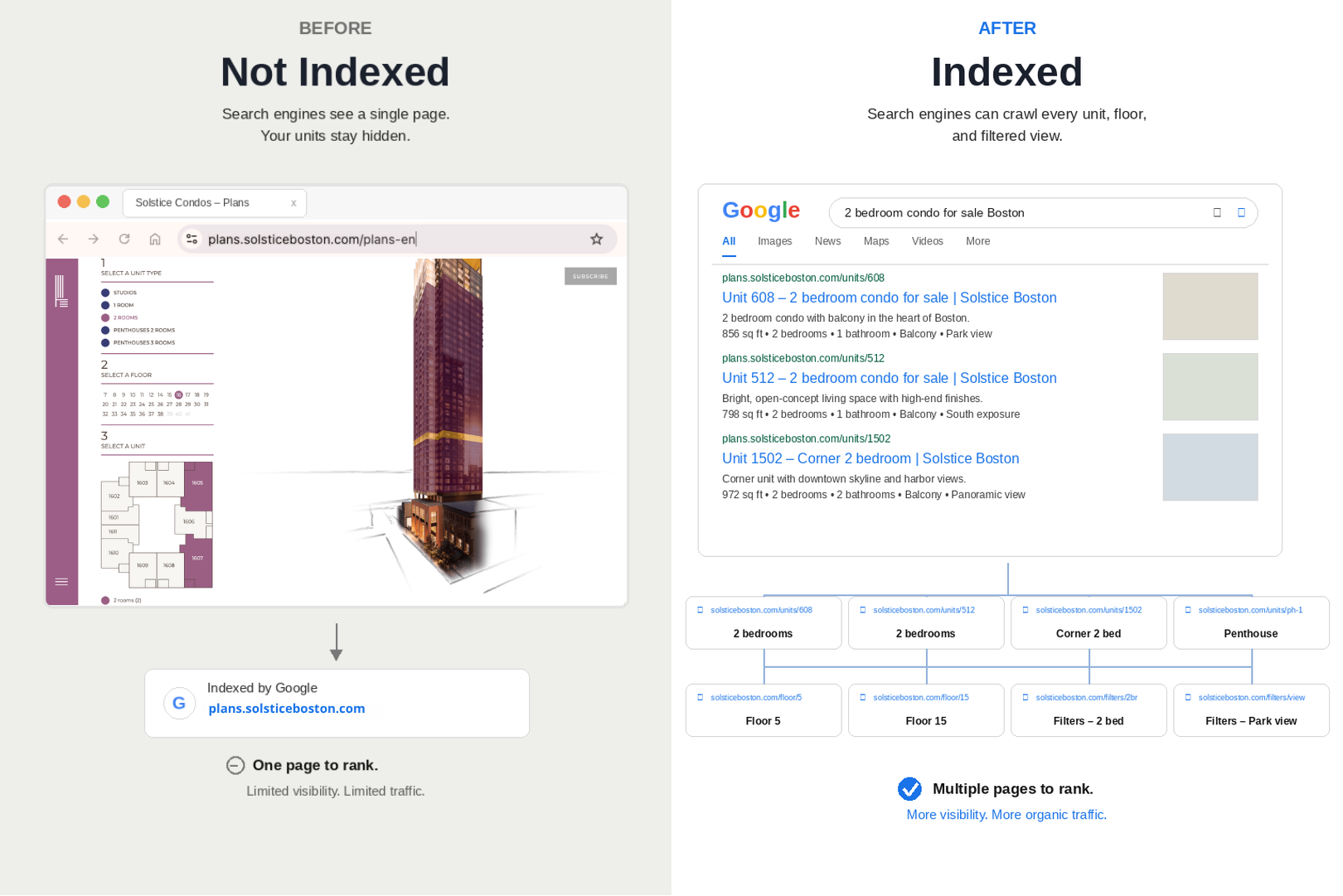
A buyer can open the plan viewer, filter by bedroom count, select a floor and explore available units. Google, however, may only see the main page where that experience lives.
That creates a disconnect between the way buyers search and the way the website is structured.
Someone may be looking for a two-bedroom condo with a balcony in a particular neighbourhood. Another buyer may be searching for a three-bedroom unit on a specific floor or a new apartment close to transit. If those individual units don't have their own indexable pages, there is no dedicated page for Google to show in the results.
Real estate searches tend to become very specific once someone gets closer to making a decision.
Instead of searching for "condos for sale," a buyer might search for a two-bedroom condo in a particular neighbourhood, a new apartment with parking, or a unit with a specific orientation and price range.
These searches are valuable because they often reflect a much clearer idea of what the person is looking for.
Your inventory may already match those searches. The problem is that the information is often locked inside an interactive floor plan rather than presented on individual, crawlable pages.
For example, if your interactive floor plan exists at one URL, search engines may have difficulty understanding the individual units available inside it.
SEO indexing addresses that gap by giving those units pages of their own.
Planpoint's SEO indexing creates search-friendly pages for individual units, floors and relevant views within a project. These pages can be hosted on your own custom domain, giving search engines a clear URL they can crawl and index.
A buyer searching for a specific type of unit can then arrive directly at the relevant page instead of having to start at the project homepage and find the information themselves.
The technical side is handled within the platform:
Where those pages live also matters. Publishing them on your own domain means the value they build contributes to your website rather than being isolated on a third-party domain. Each unit can also have its own unique URL making it easier to share a specific unit with a prospect, link to it from a campaign or use it as a landing page.
The way people discover information online is changing.
Traditional search results are still important, but buyers are also increasingly using AI-powered search tools and AI-generated overviews to research neighbourhoods, buildings, prices and available properties.
Those systems still need accessible information to work from. If the details about your inventory only exist inside an interactive experience that search engines cannot properly crawl, much of that information remains difficult to discover outside the viewer itself.
For real estate developers investing in digital marketing for real estate, this is becoming an important part of the broader search strategy.
An immersive real estate experience is valuable once someone reaches your website. But you also need a way for people to discover the individual properties that experience contains.
SEO indexing isn't a replacement for paid advertising.
Paid campaigns can put a project in front of a specific audience immediately. Organic search takes longer to build and depends on the quality and relevance of the pages being indexed.
The two approaches can work together, particularly when individual units are used as landing pages.
There is also a practical benefit for paid campaigns. An indexed unit page can be used as a more relevant landing page than a generic project homepage.
If someone clicks an ad for a two-bedroom unit and lands directly on that unit's page, they can see the information they were expecting without having to search through the project again.
The same pages can also support retargeting, giving your campaigns more context about what a visitor was actually interested in.
For developers working on residential developer digital marketing, that connection between organic search, paid media and the website experience can make the overall strategy more consistent.
Here is an example of how SEO indexing works inside a live Planpoint project, with individual units available through their own search-friendly pages.
Setting up SEO indexing is only the beginning. The pages still need useful content, clear internal links and accurate information.
Indexing a unit does not automatically make it rank on the first page of Google.
It simply gives search engines a page they can crawl, understand and potentially return for relevant searches. How well that page performs will still depend on factors such as the quality of the content, competition, the authority of the website and the relevance of the page to the search.
It can also take time. New pages need to be crawled and indexed before they can start generating organic impressions, and the first opportunities will often come from more specific searches rather than broad terms such as "condos for sale."
SEO indexing is therefore not a substitute for a strong project website. Individual unit pages work best as part of a broader site that provides useful information about the building, neighbourhood, amenities and the people the project is designed for.
That could be a condo presale, a rental lease-up or another residential development with a changing inventory.
The advantage is that once those pages are published and indexed, they can continue bringing relevant visitors without requiring a new campaign for every search.
Your inventory is already the most searched thing about your project. It should be the most findable.

Learn more
The Real Estate Floor Plan Platform with the most innovative features: Enterprise Portfolio, Immersive 3D, advanced analytics, online payments, custom CSS, choice of finishes and much, much more...